Skip to content
  • Features
    • Looker Studio
    • CSV exports
    • Data sources
    • All features
  • News
  • Pricing
  • Help
  • Contact
Log in
Start free trial
News

Looker Studio is now Data Studio
17. April 2026

After almost 4 years, Google has decided to rename Looker Studio back to its original name, Data Studio. You can learn why this move was made and why it happened in this article.

History of Data (Looker) Studio

The first mentions of Google Data Studio date back to 2016 when the tool started in beta, initially intended for large paying clients, but also included a free version with a limit of 5 reports per user. Over the first months, the tool developed and in 2018 it became generally available to all users (no longer with a limit of reports per user).

In 2019, Google announced the acquisition of Looker (a business intelligence (BI) and data analytics platform), and in late 2022, the tool was officially renamed Google Looker Studio.

In April 2026, Google announced that it was reverting to its original name, Google Data Studio.

Why did the change happen (again)?

Google officially explained this change as a need for strategic product differentiation – the Looker platform as such remains designed for business intelligence (BI), while Data Studio is focused on exploring and visualizing data on a smaller scale. We could say that Google Data Studio is designed for individuals, small and medium-sized businesses that need to connect and visualize data in one place, and Looker is designed for larger companies with higher demands for working with data.
What are the next steps?

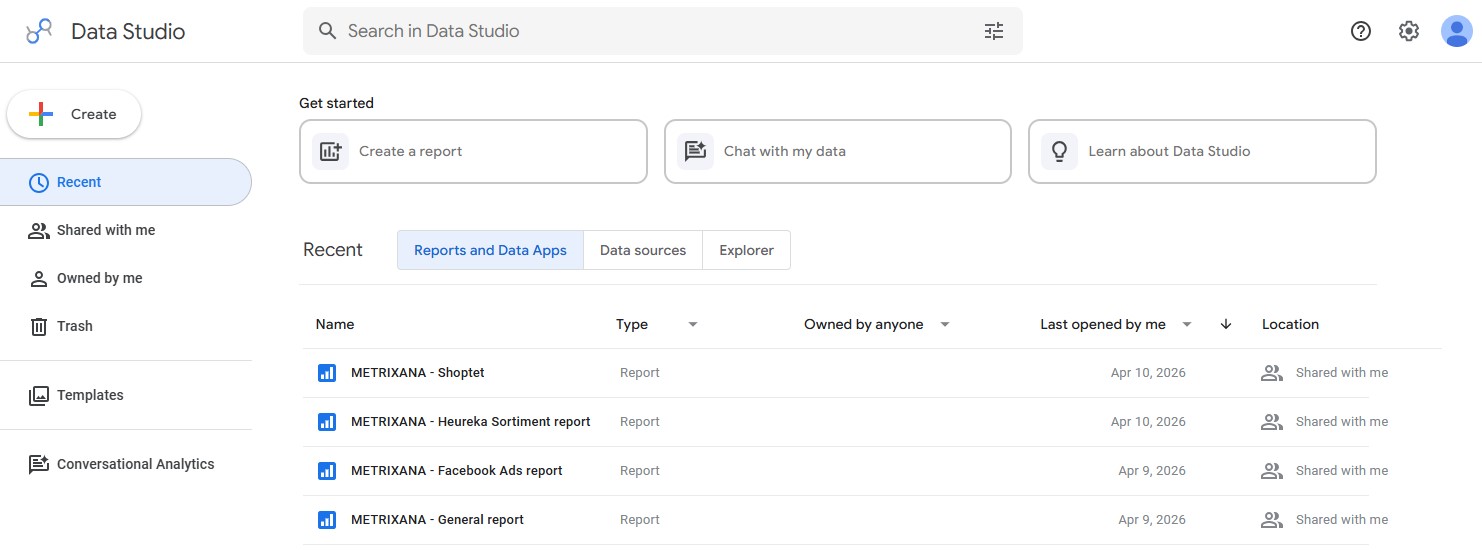
The good news is that Looker Studio users don’t need to take any action. The transition from Looker Studio to Data Studio will be fully managed by Google and the transition will be smooth and seamless. All reports and connections will be preserved – the only significant change will be the change of domain from lookerstudio.google.com to datastudio.google.com – while both versions will remain functional (the “lookerstudio” version will automatically redirect to “datastudio”).

Google promises to further integrate AI into Data Studio and gradually add more features, with more to be announced at Google Cloud Next ‘26 in late April.

  • looker studio

Vyhľadávanie

Categories

  • How to 22
  • News 14
  • Specifications 6

Recent posts

  • Looker Studio is now Data Studio
  • Jak fungují štítky v Google Ads
  • NOVINKA – Facebook Ads konektor
  • Jak napojit Facebook Ads do METRIXANA
  • Specifikace datového zdroje – Facebook Ads

Tags

case study csv exporty facebook ads google ads heureka looker studio mergado shoptet vzdělávání všeobecné špecifikácia

Related posts

News

NOVINKA – Upravená Looker Studio šablona pro Shoptet objednávky

9. November 2025

Na základě zpětné vazby od vás, uživatelů METRIXANA, jsme aktualizovali Looker Studio šablonu pro Shoptet objednávky. Díky Looker Studio šablonám nemusíte vytvářet své přehledy od nuly. Místo toho můžete použít naše předem připravené tabulky a grafy, které najdete v šabloně. Stačí ji zkopírovat a upravit podle svých potřeb. Více informací o Looker Studio šablonách najdete […]

How to

Jak aktualizovat Looker Studio konektor

5. October 2025

Looker Studio konektory (včetně těch od METRXIANA) jsou čas od času aktualizovány. Některá pole se mění, některá se přidávají, upravují nebo vylepšují. V případě významných změn, jako je přidání nových polí, je obvykle nutné, aby uživatel aktualizoval konektor, aby se všechny změny projevily. Naštěstí je to velmi jednoduché a rychlé. V tomto návodu vám ukážeme, […]

How to

Looker Studio – nejčastější problémy

22. September 2025

Žádný nástroj není dokonalý a při práci s METRIXANA konektory nebo Looker Studio obecně může občas dojít k chybám nebo nepříjemnostem. V tomto přehledu najdete nejčastější problémy, se kterými se naši zákazníci setkávají. Varování při napájení konektoru do Looker Studio Tento problém se obvykle vyskytuje pouze při prvním připojení konektoru prostřednictvím účtu Google a je […]

METRIXANA allows you to easily work with marketing data from various sources. Using our connectors, you can then visualize this data in Looker Studio.

Features
  • Looker Studio connectors
  • CSV exports
  • Data sources
Support
  • News
  • Help
  • Contact

© METRIXANA

  • Terms of Service
  • Privacy Policy
  • Čeština (Czech)
  • Slovenčina (Slovak)
  • English